Works without the internet
Sales, shifts, and printing keep going when the network drops. The internet is for downloads and updates, not for every payment.
POS and back office for small business
POSHub is the cashier’s workspace and back office for pool halls, food service, and retail. A single writer in the checkout core, offline operation, and a local network for the kitchen and floor.
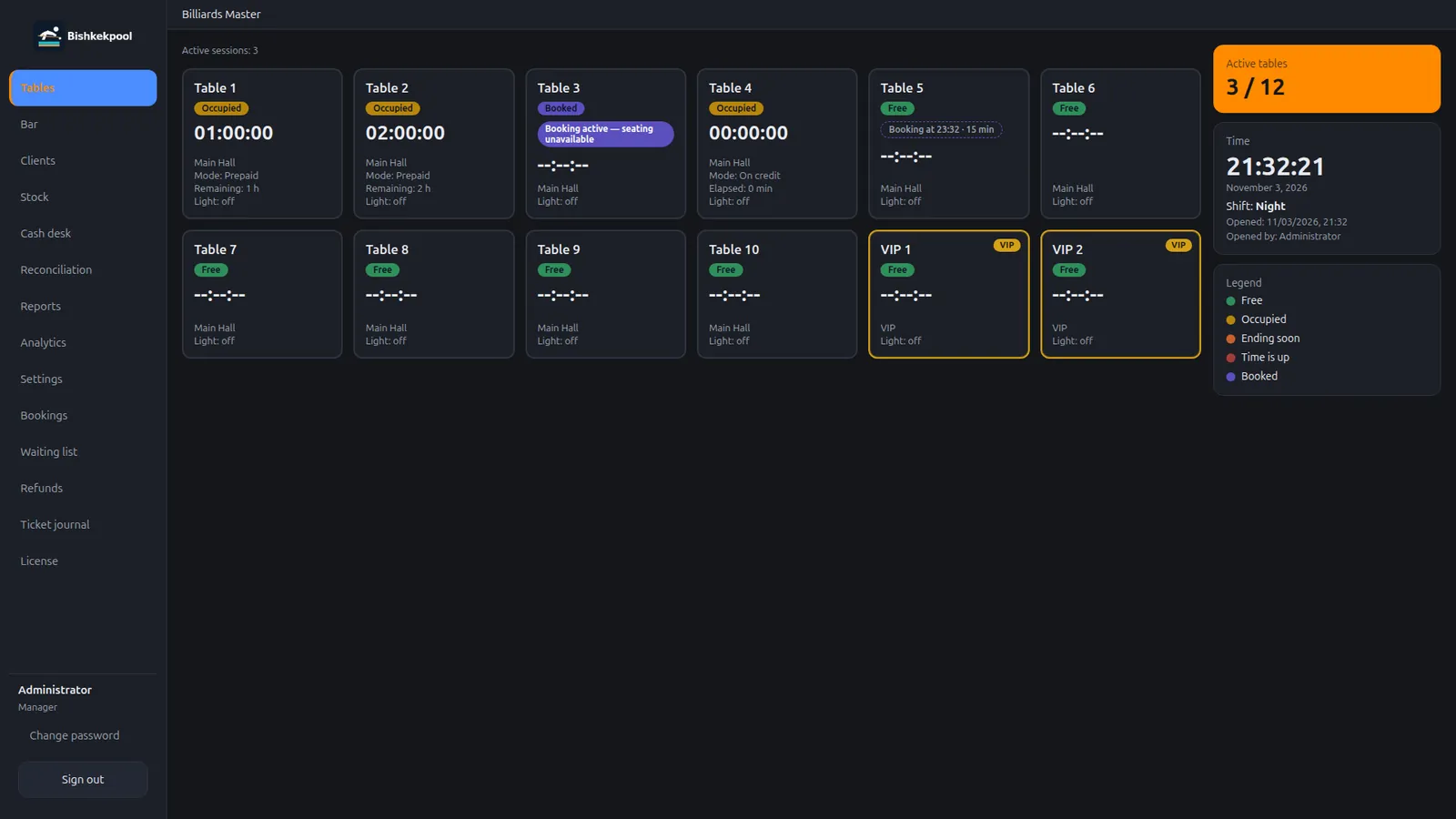
A real app screen with demo data
Reliability
A register is not a set of screens; it’s a sequence of operations. In POSHub, a single writer creates every register record: bills, payments, refunds, and shift closing never compete with each other. That’s why the shift total matches what actually happened at the counter.
A diagram of the transaction, not customer data.
Features
POSHub doesn’t try to be an ERP. It covers the register’s working day: take an order, take payment, send it to the kitchen, close the shift, and show the numbers.
Sales, shifts, and printing keep going when the network drops. The internet is for downloads and updates, not for every payment.
The kitchen screen on a TV, the manager’s panel, the waiter station, and the QR menu all run on the same network as the register.
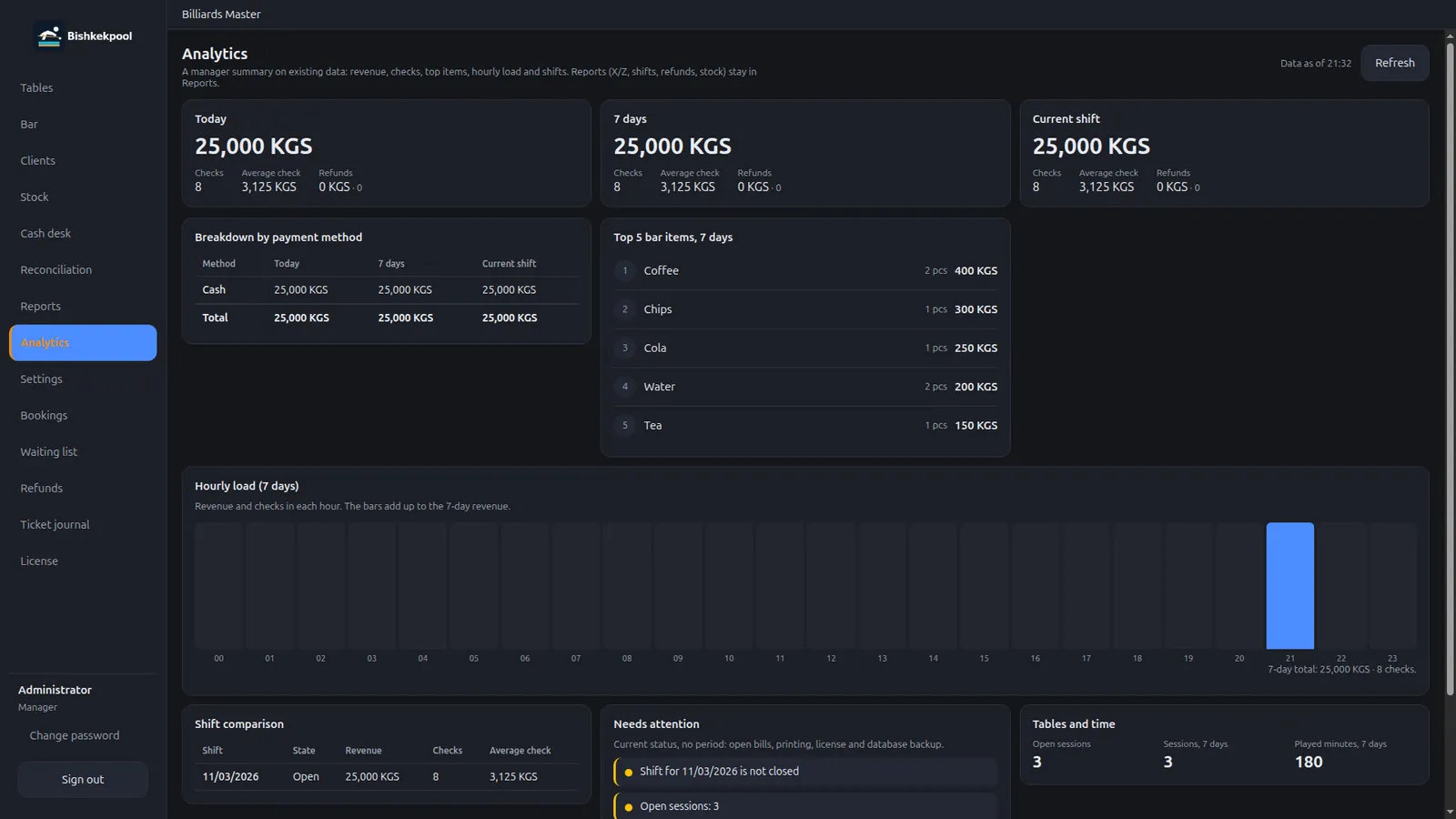
Revenue, table occupancy, and sales by category. Reports are built from the same records as the register — no manual reconciliation.
A scanner and a scale connect as equipment. Stock is tracked in batches, and expiry dates stay visible.
Every employee has a role and a PIN. The screen locks when idle, and every action stays in the log with a name attached.
Currency, language, printers, hardware, and the menu are configured in the UI. You don’t need someone with a terminal to get started.
Products
A pool hall, a restaurant with a dining room, a takeout counter, and a shop are different working days. Each scenario has its own POSHub app.
The floor, tables, and bar in one window. The admin sees what’s happening at every table and never counts time by hand.
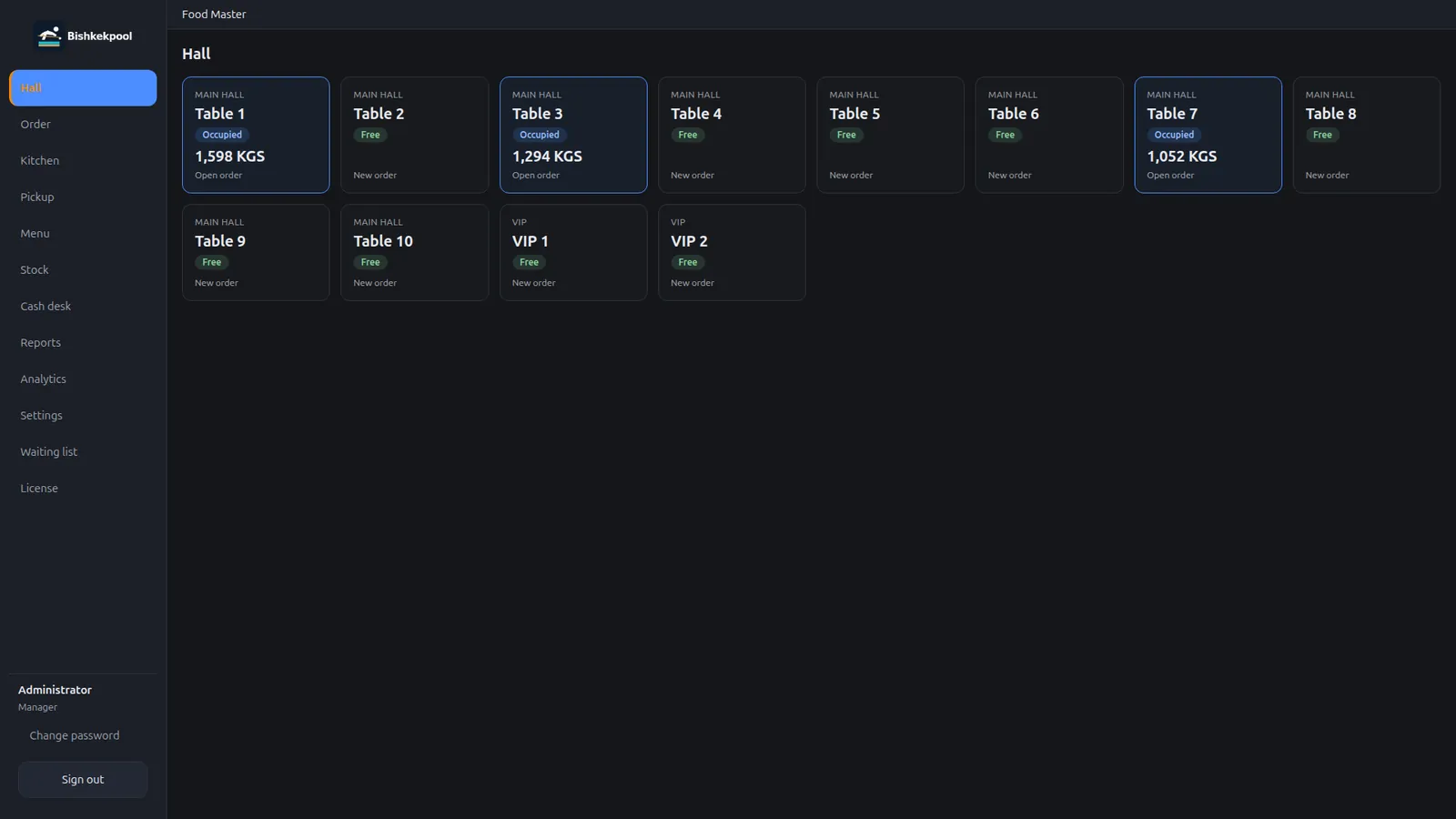
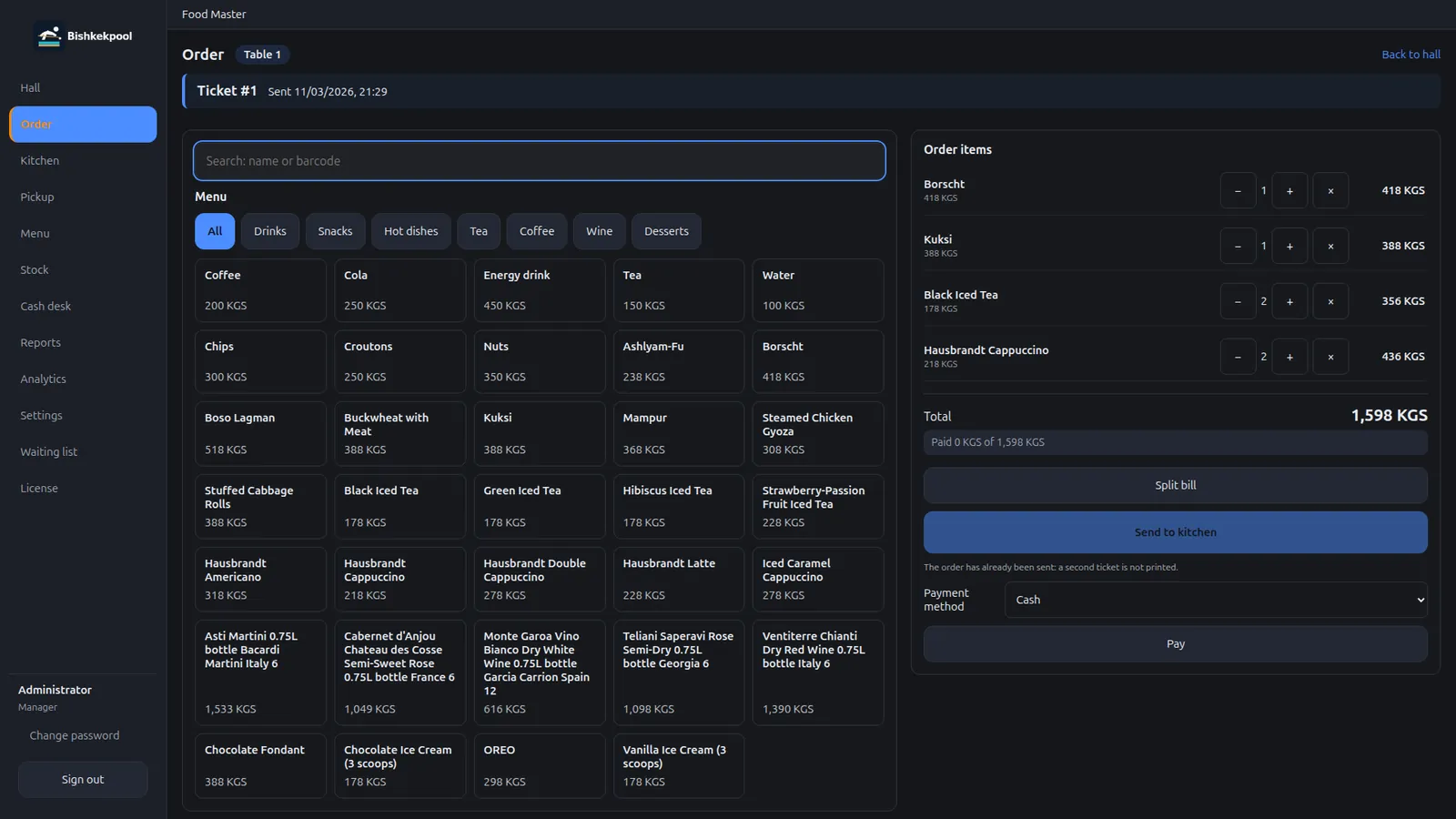
A restaurant or café with a dining room: the waiter takes the order, the kitchen sees tickets, and the pickup counter closes orders.
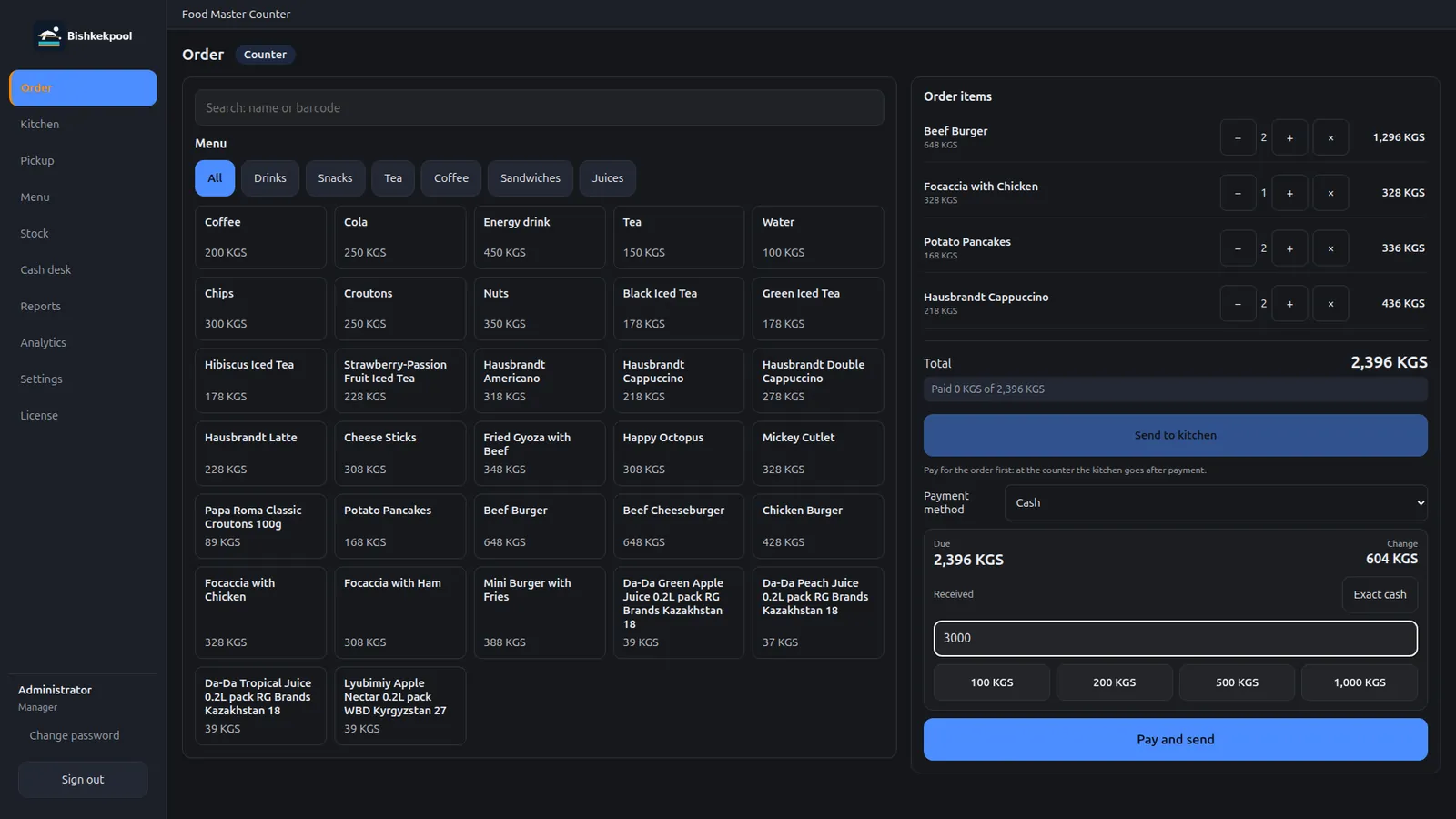
A fast register for takeout and the counter: an order takes a few taps, and the kitchen gets a ticket right away.
A neighbourhood shop: barcode sales, a catalog, batches, and expiry dates. No spreadsheets and no recounting stock by hand.
Interface
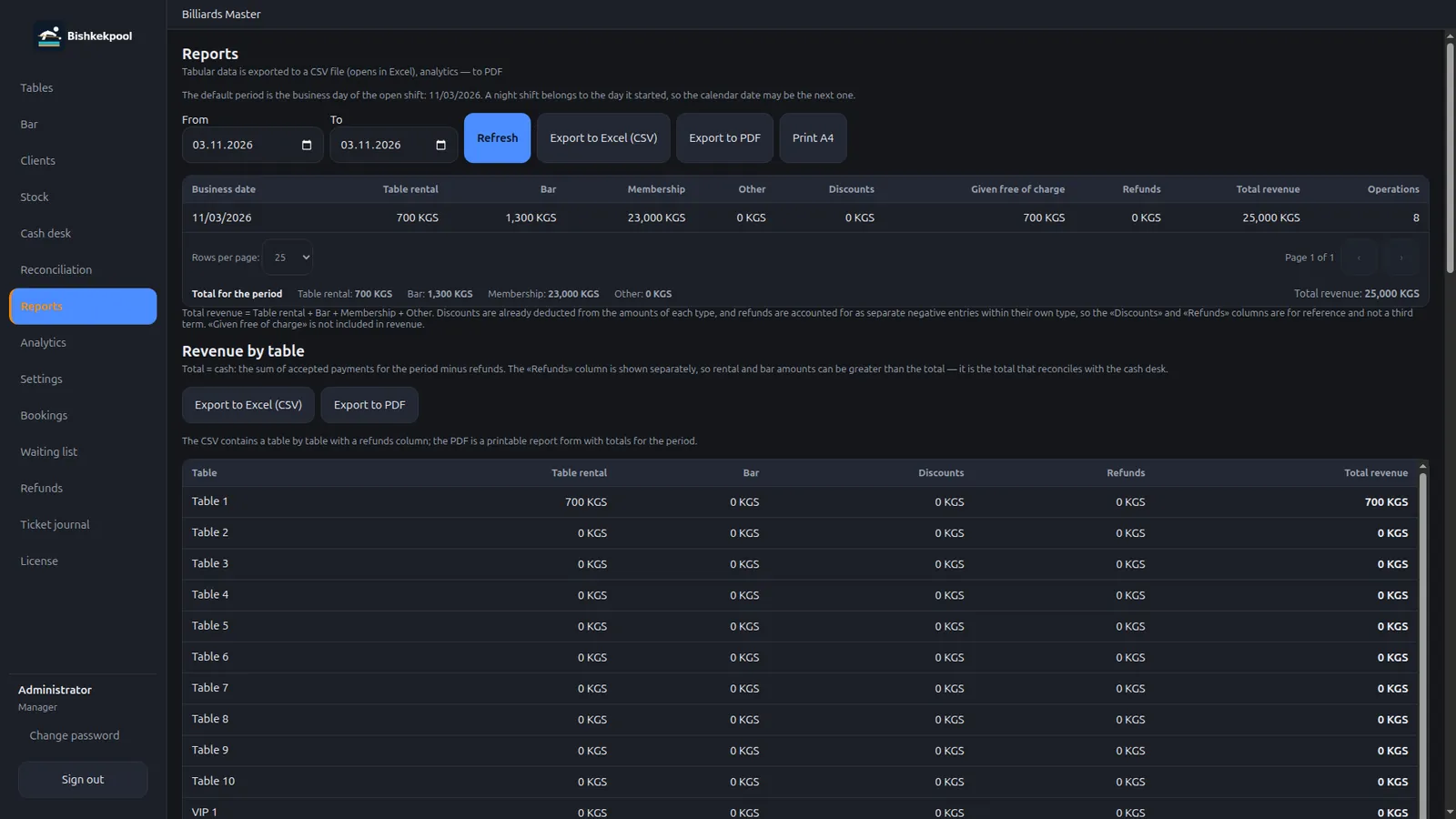
Real app screens with demo data. Switch products and open screenshots larger — the gallery supports the keyboard and Esc.
Floor, bar, reservations, shifts, and analytics in one app. The admin sees playing time and the light over each table without opening extra windows.
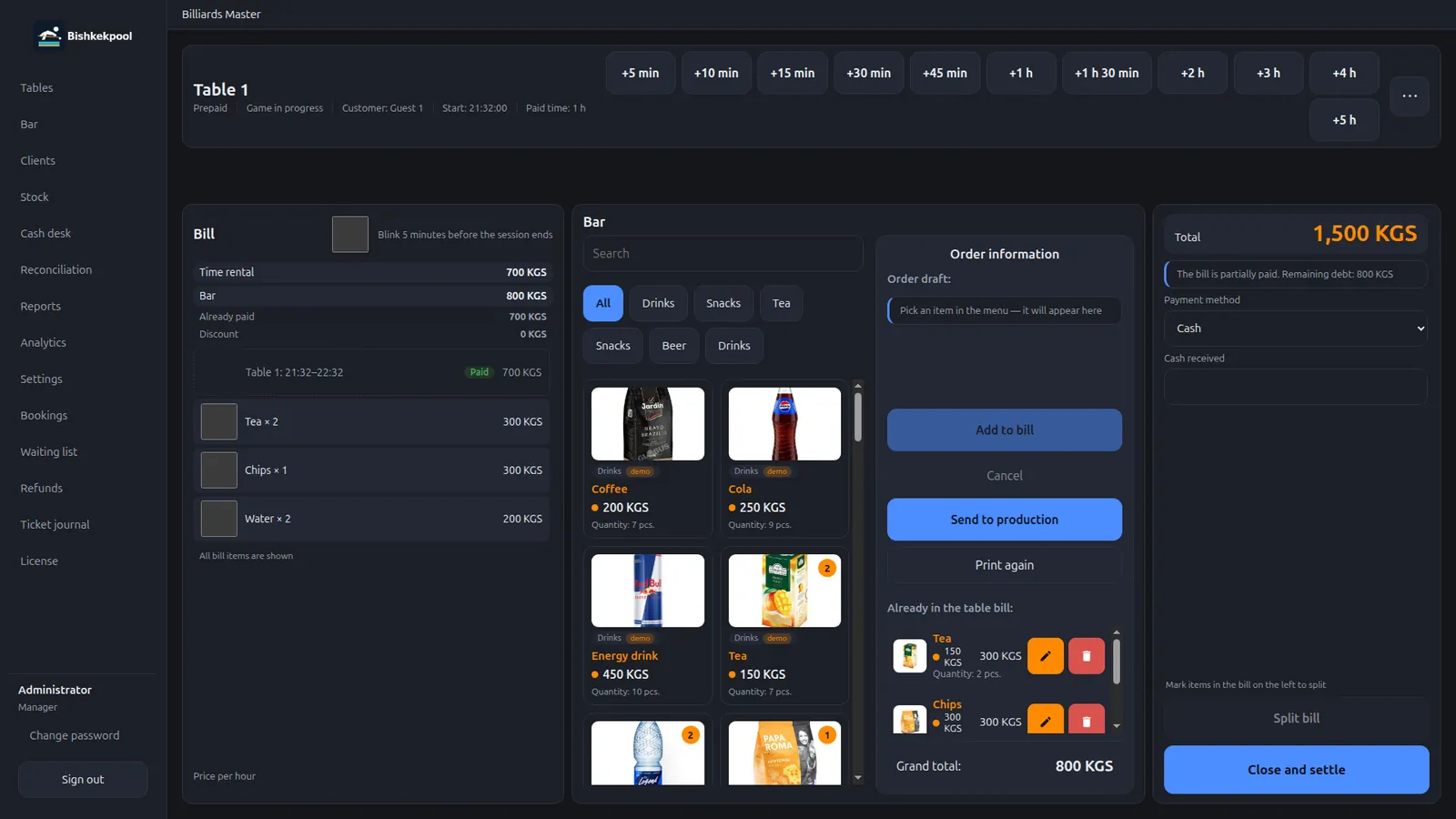
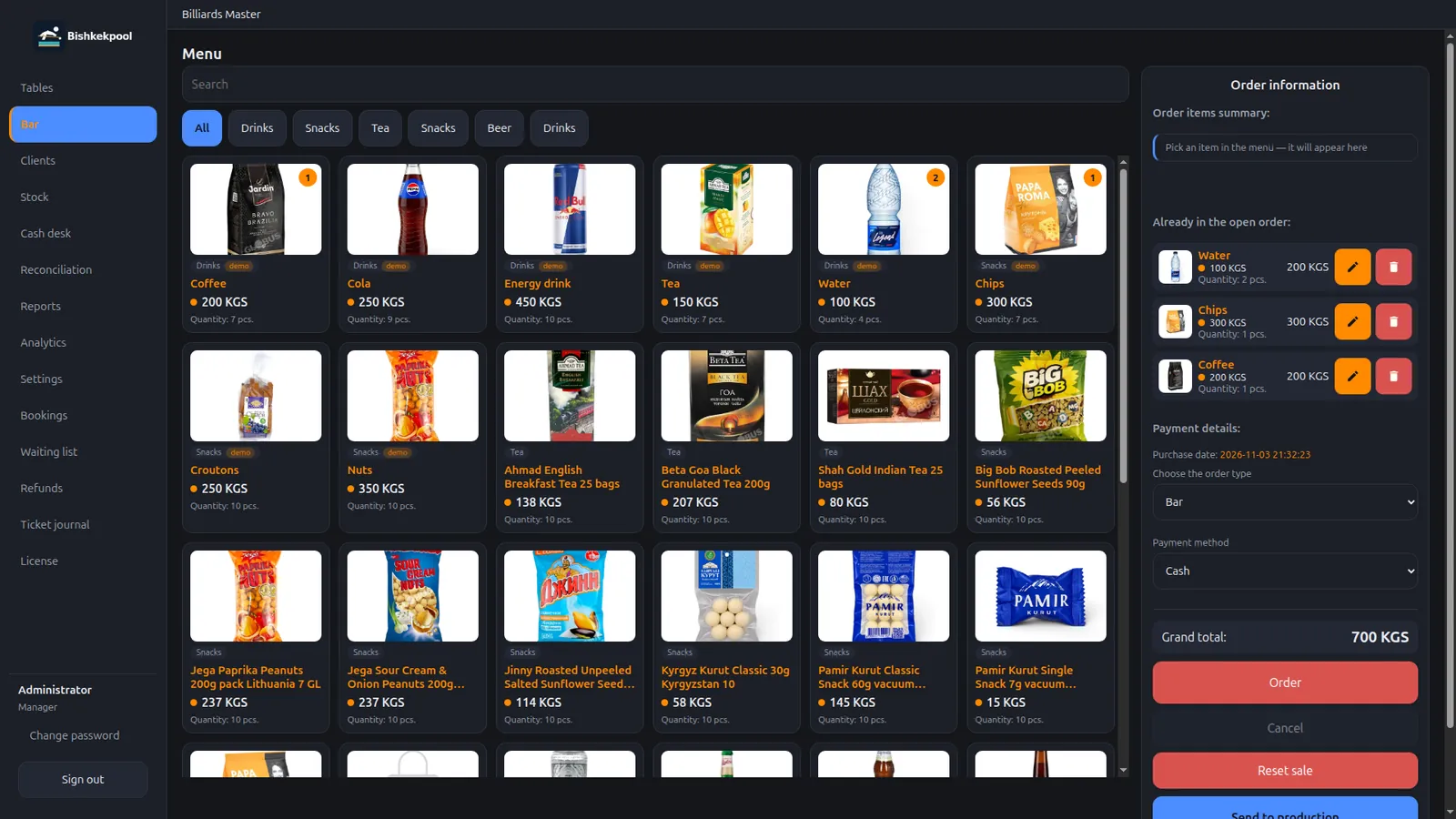
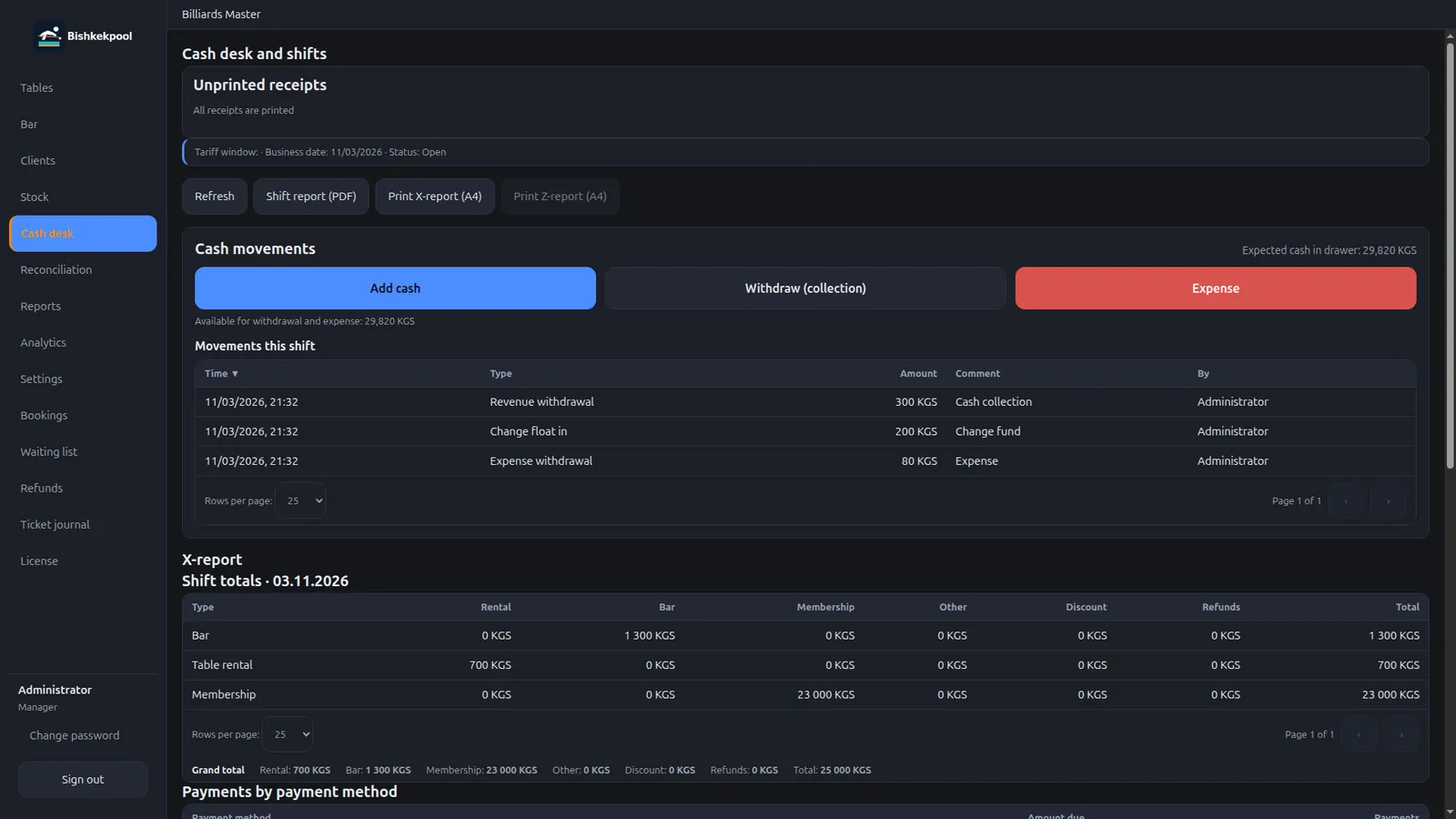
The waiter takes the order, the kitchen sees tickets on a TV, and the pickup counter closes orders. All on the local network.
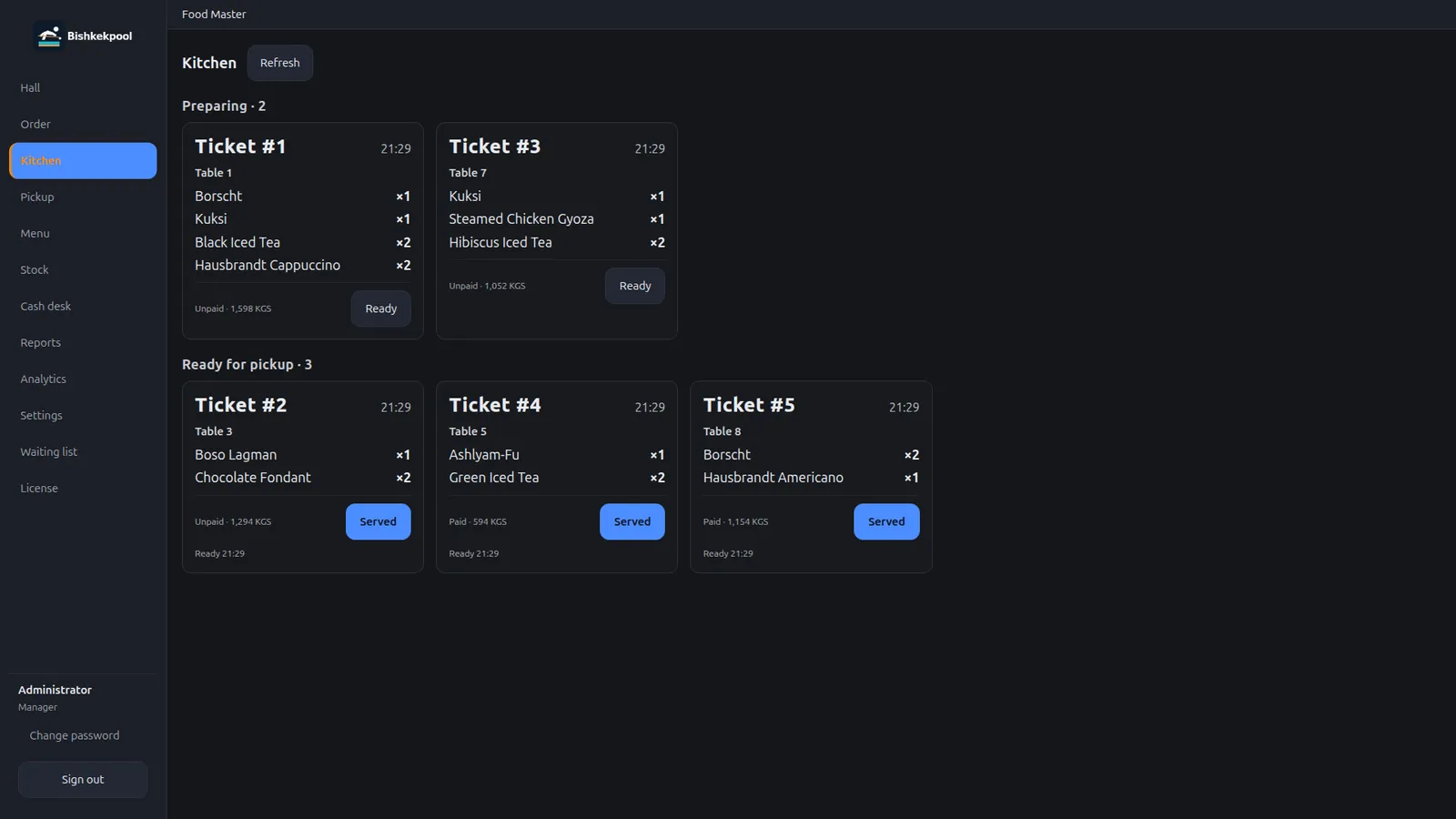
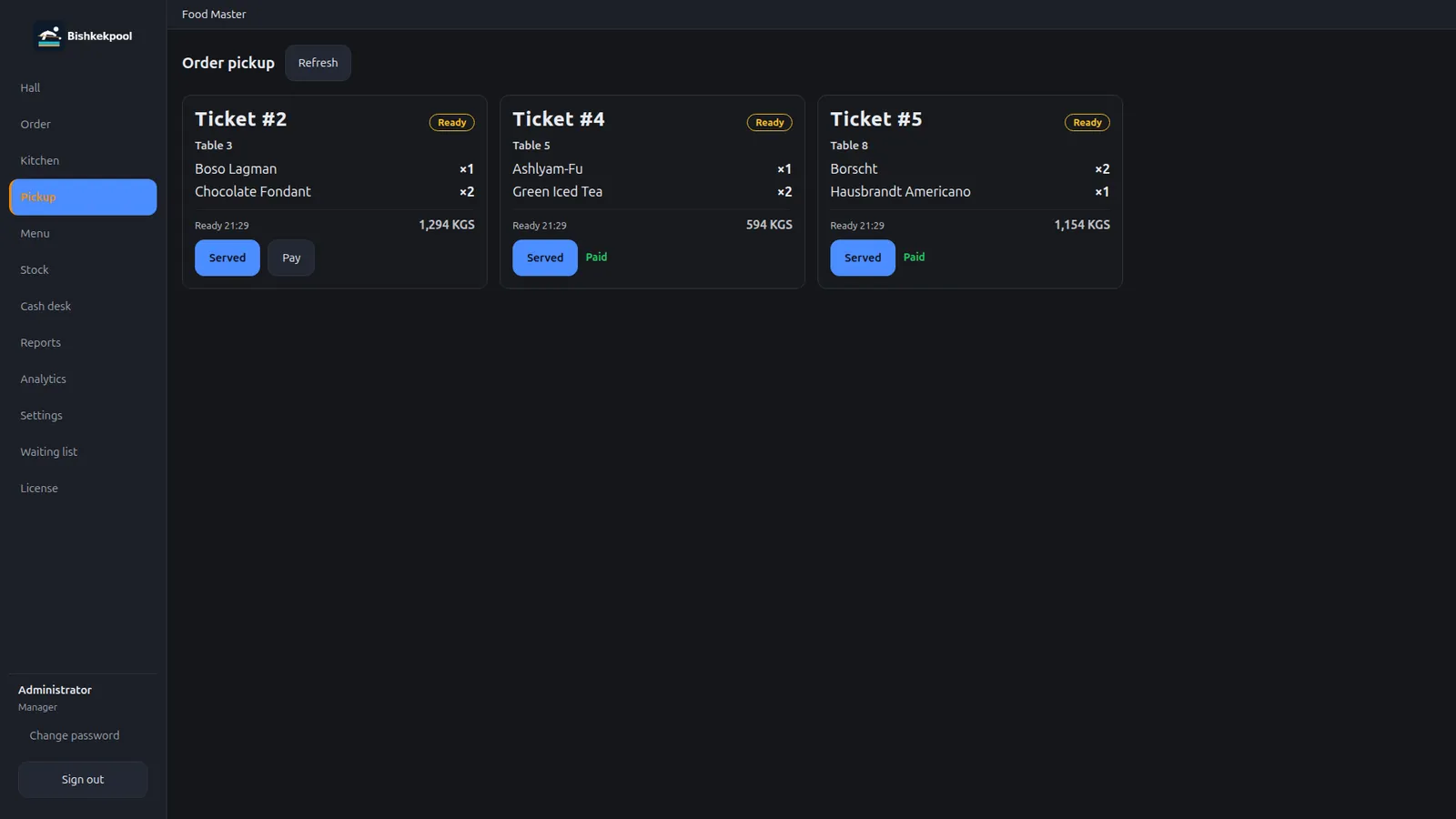
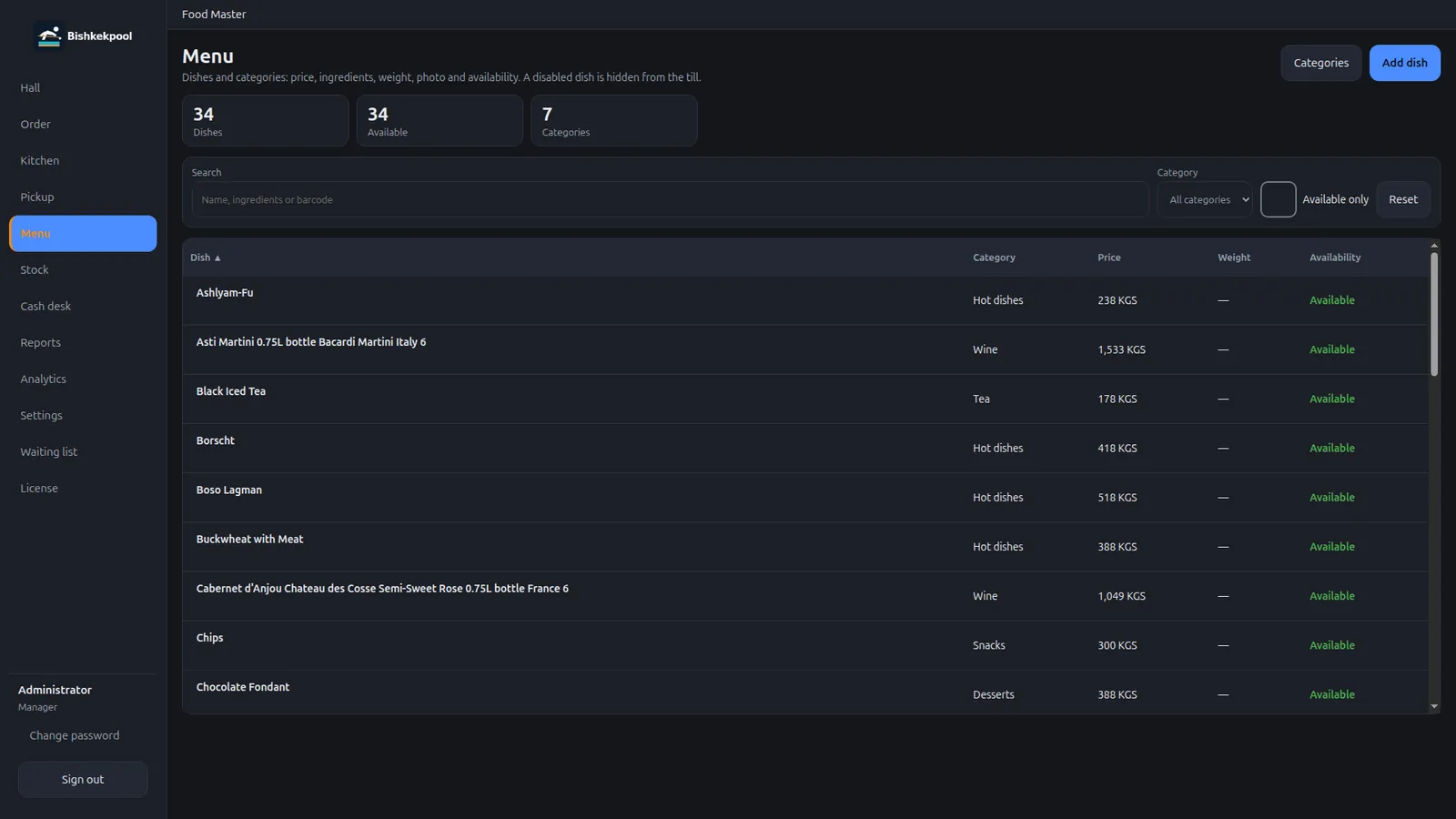
Fast service at the counter: an order takes a few taps, the kitchen gets a ticket, and the pickup screen closes the order.
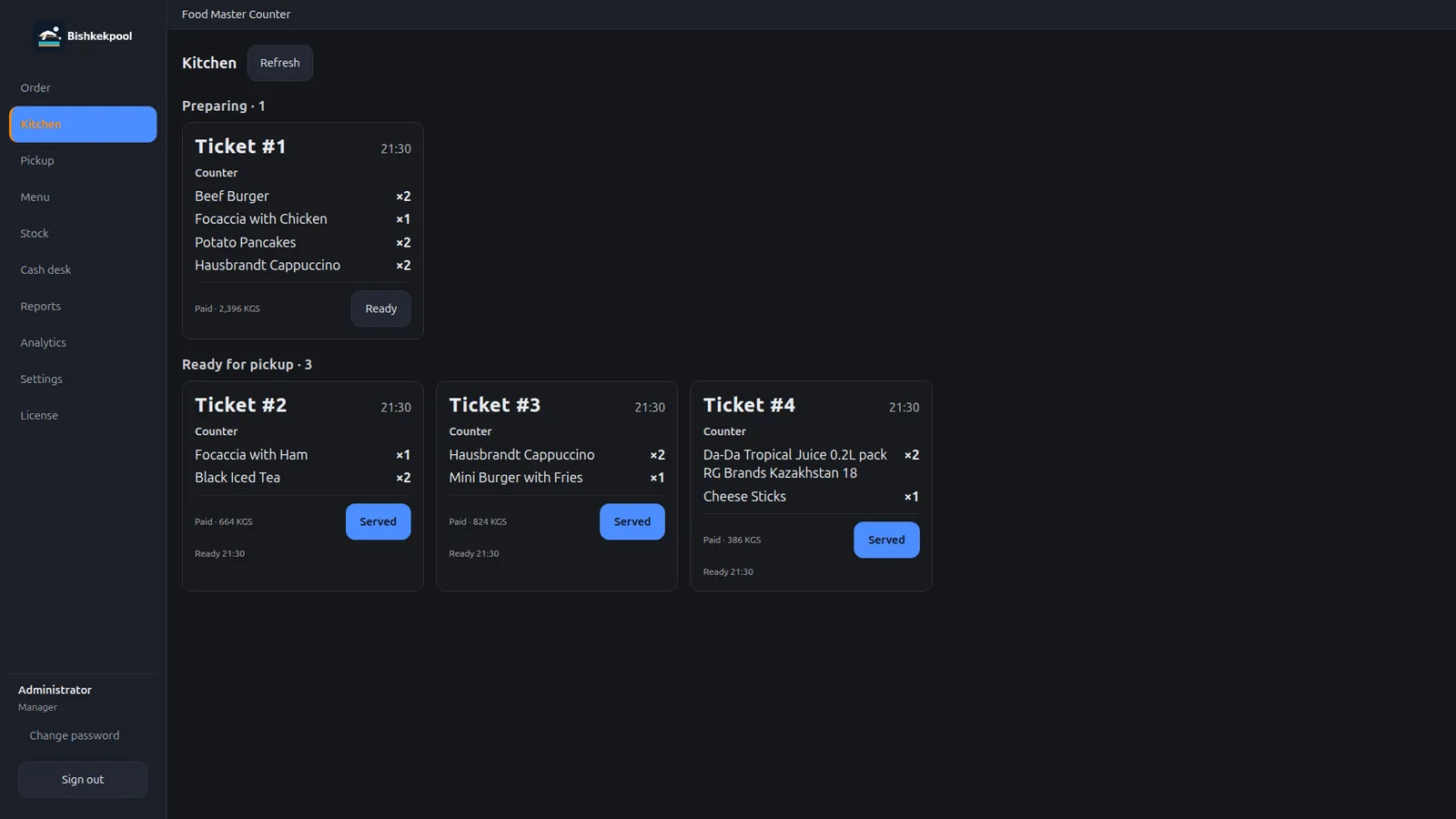
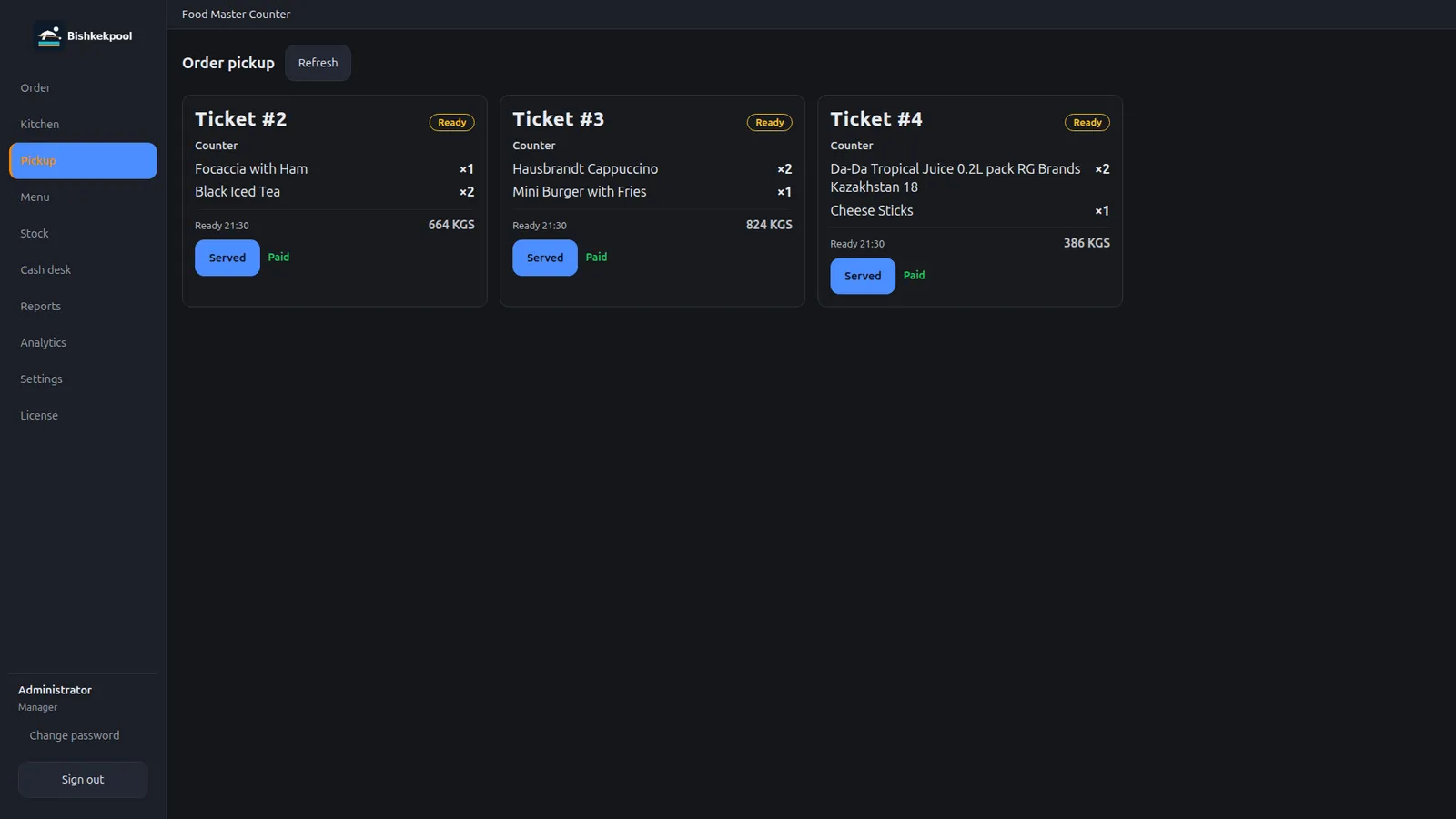
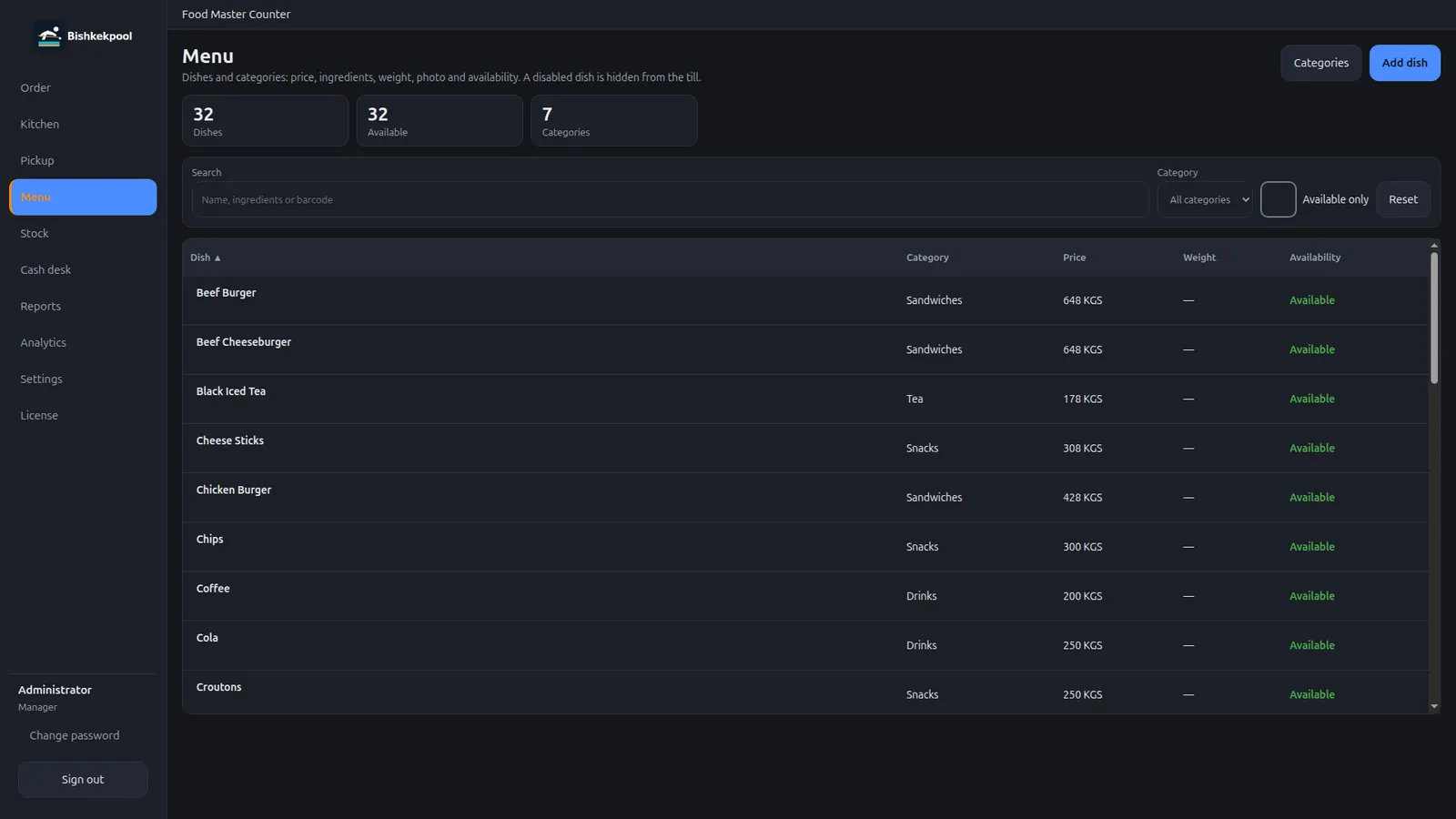
Barcode sales, a catalog, batches, and expiry dates. You can see exactly what’s on the shelf and how long it has left.
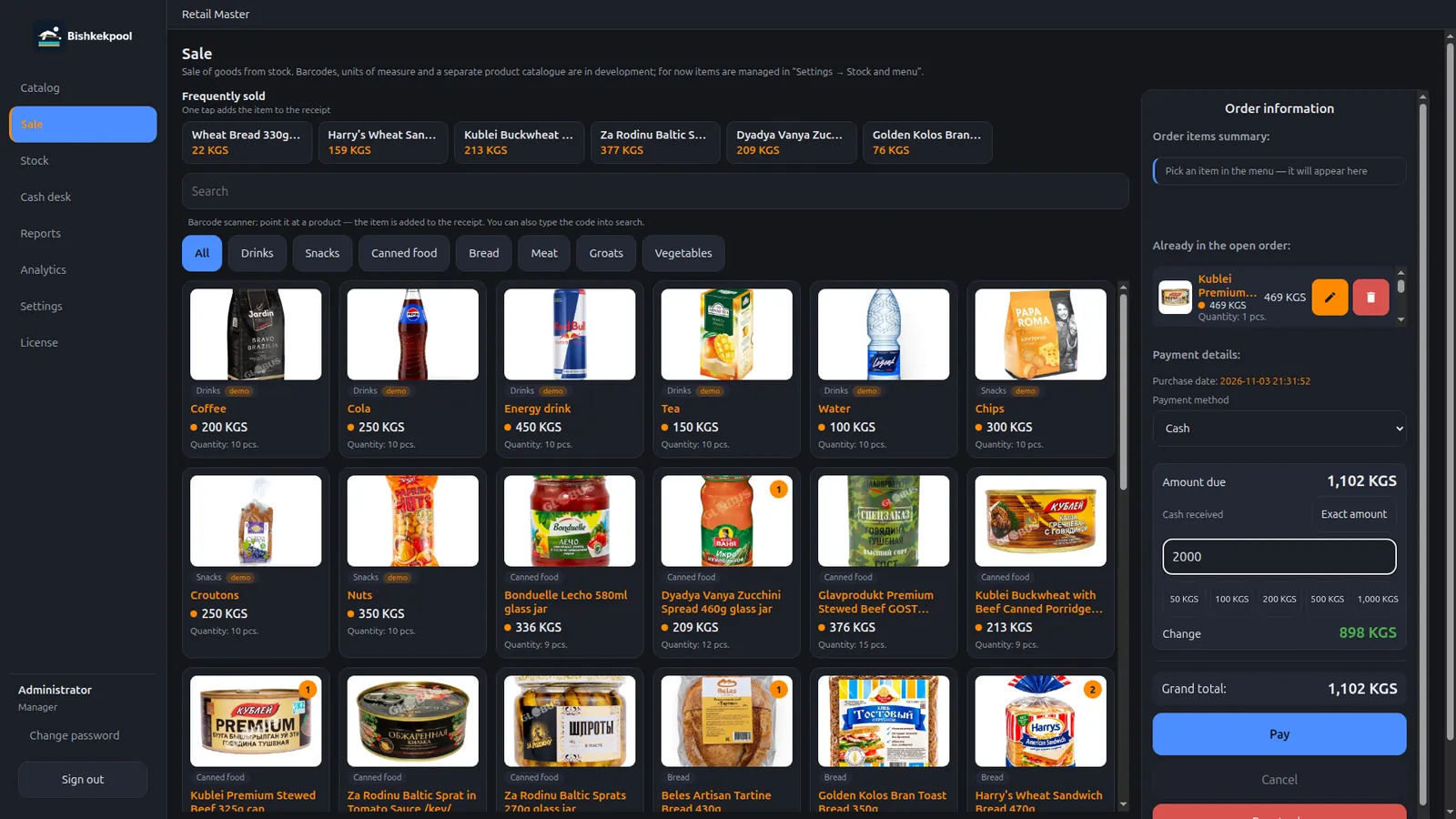
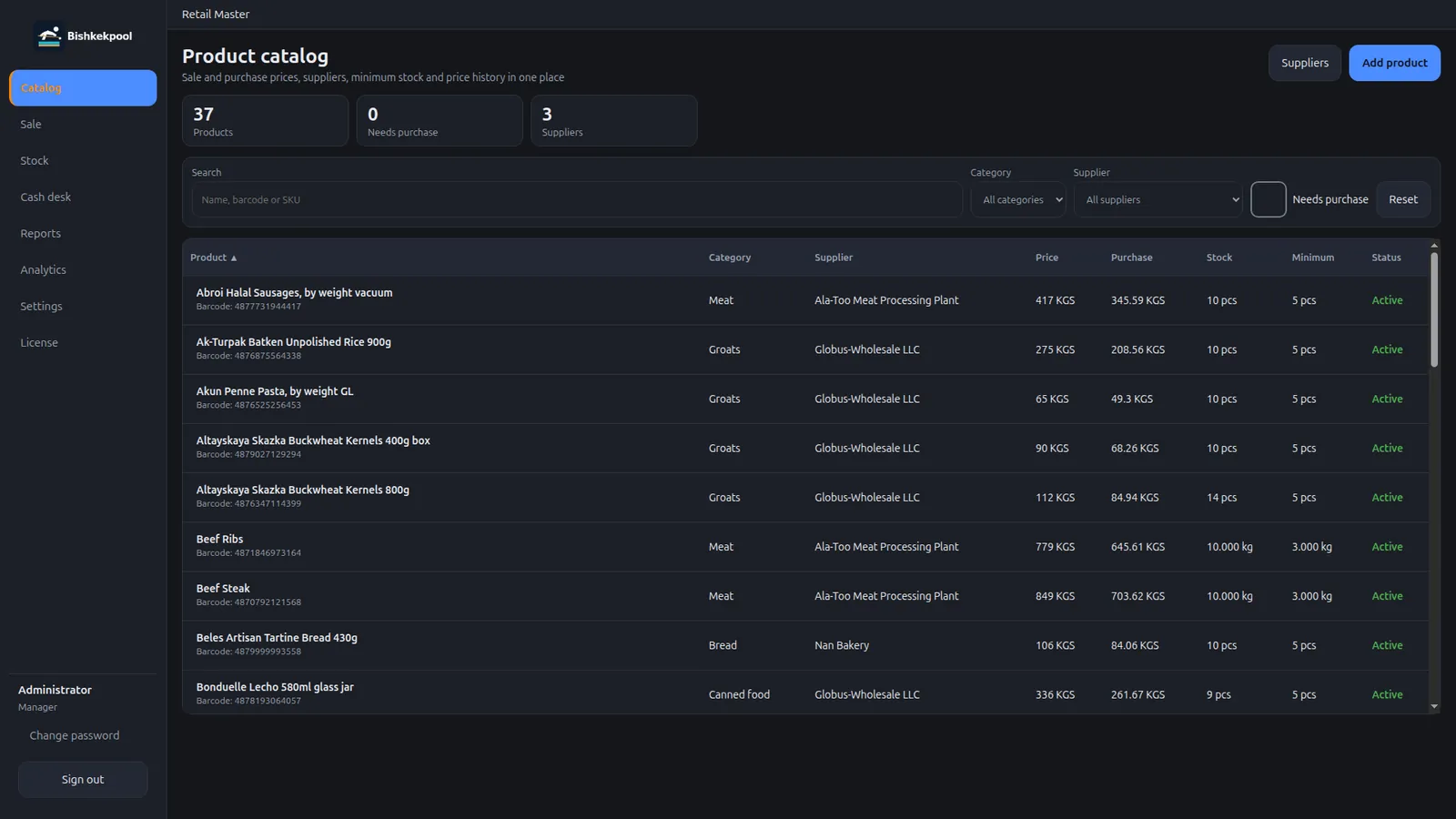
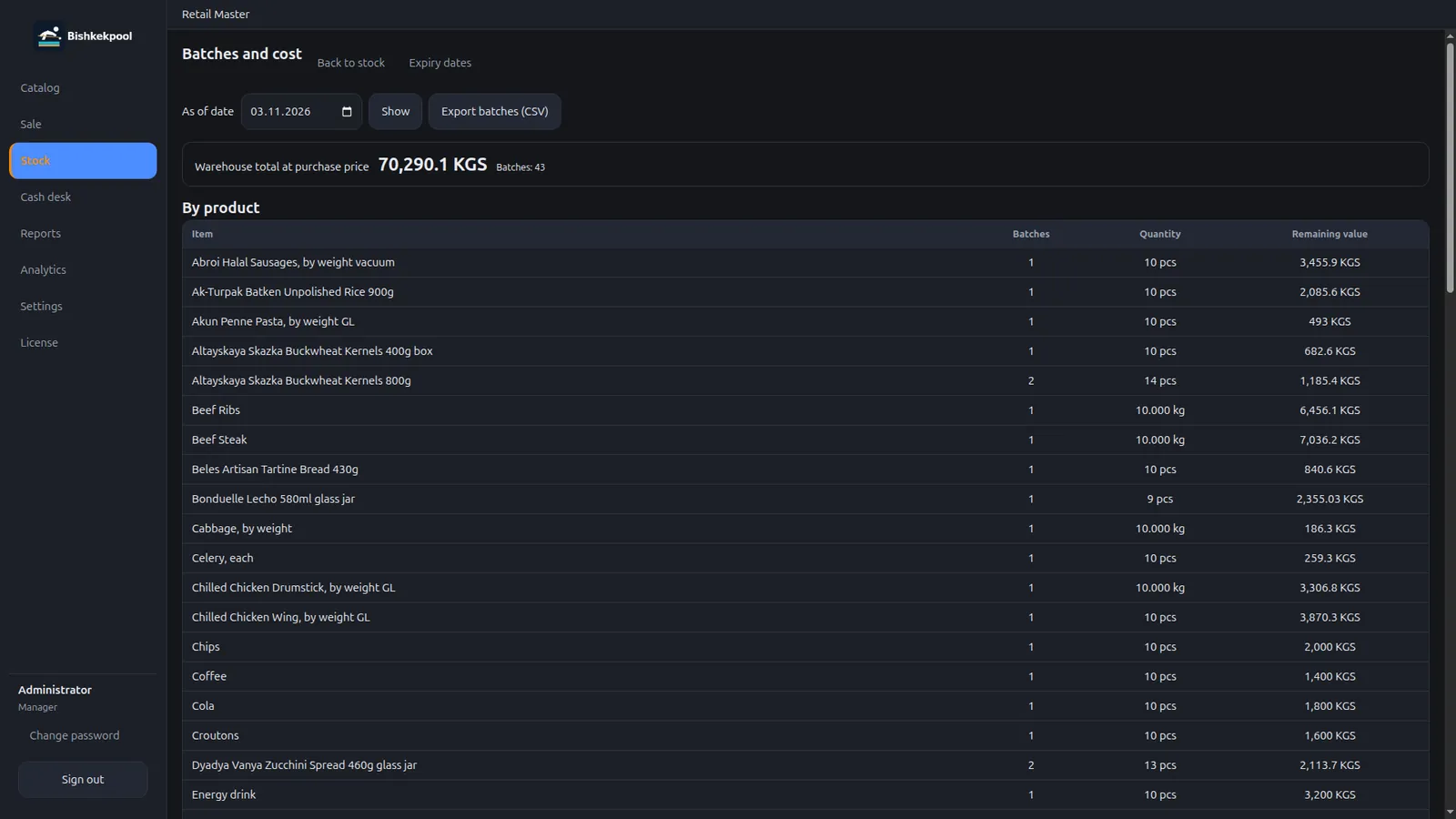
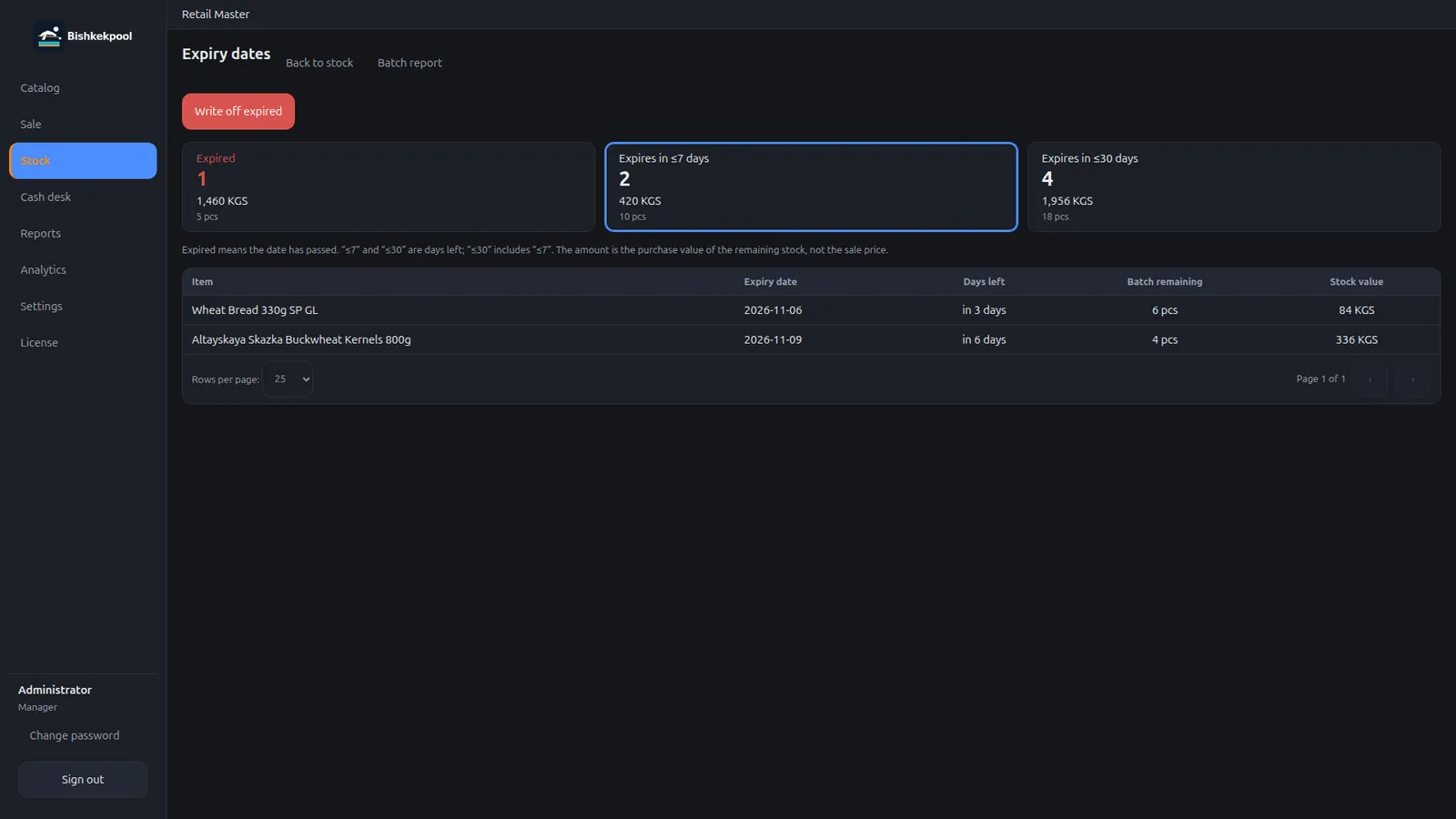
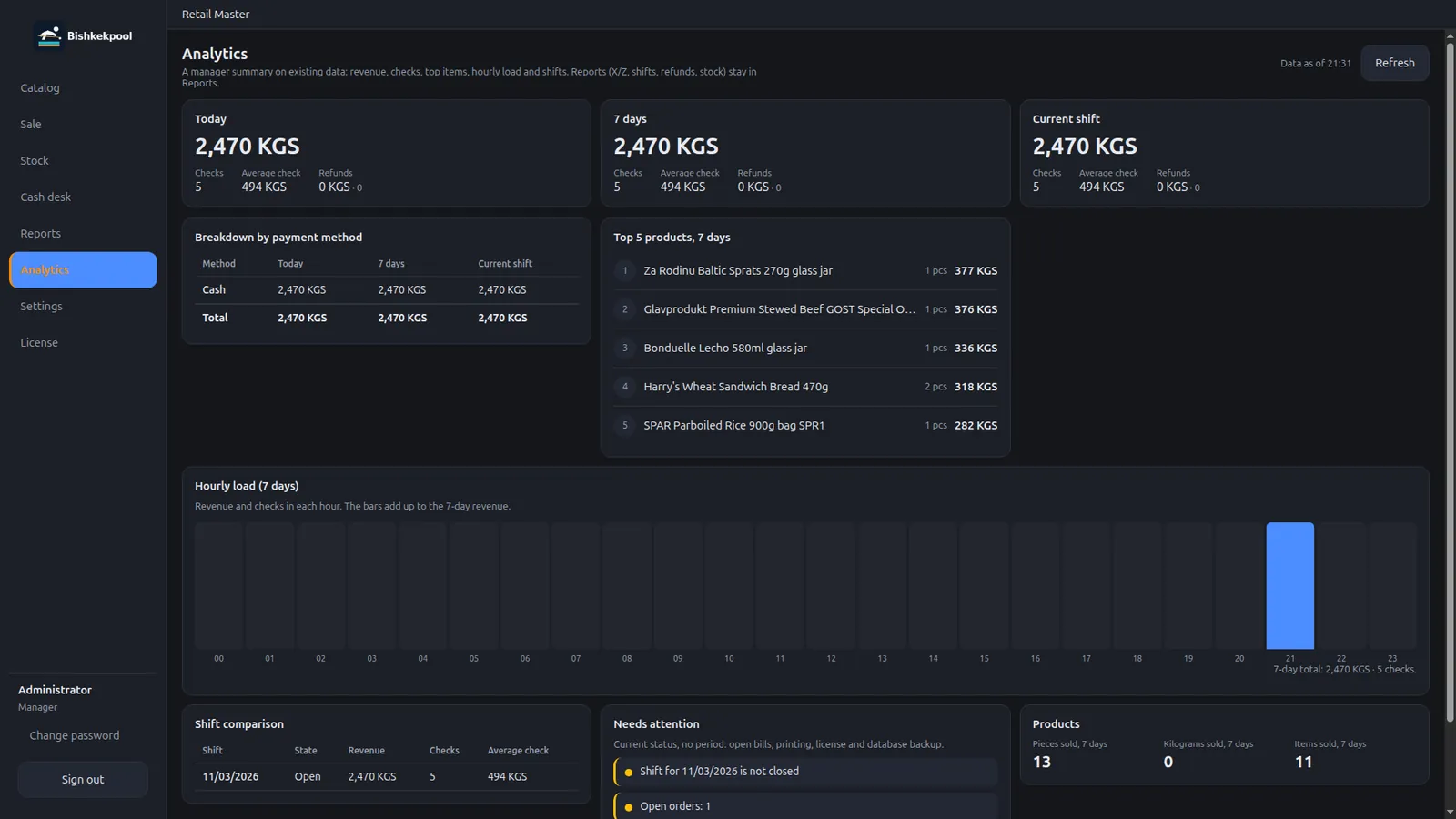
Employee sign-in and settings on one screen: printing, hardware, staff, stock, and menu.
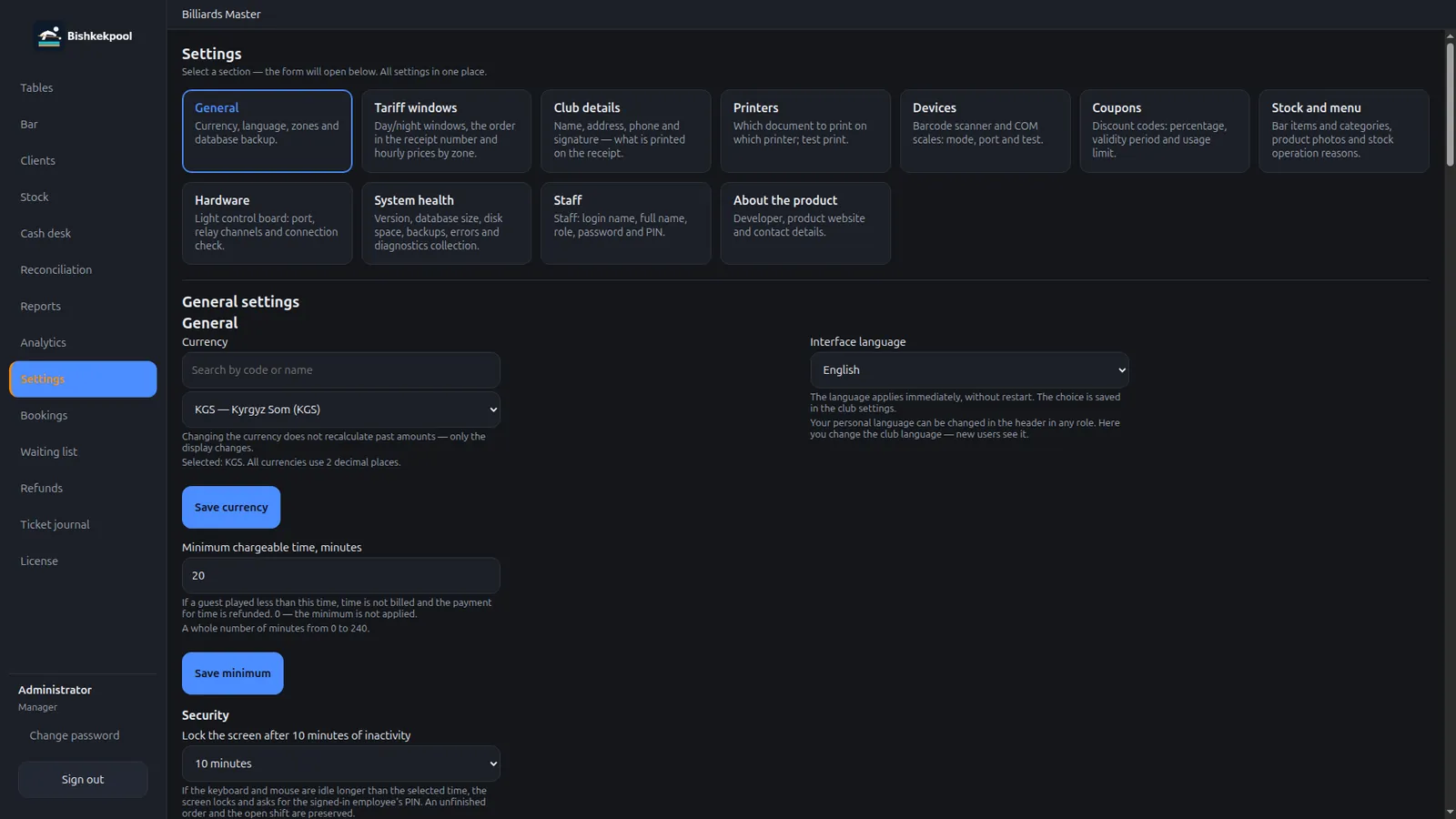
Real POSHub app screens with demo data. Click a screenshot to open it larger: the arrow keys ← → and Esc work.
FAQ
No. The register, shifts, and document printing run locally. The internet is needed to download POSHub and get updates from the releases repository.
They run on the same local network: a kitchen display (KDS) on a TV, the manager’s panel, the waiter station, and the QR menu. Hardware is set up in Settings.
Windows 10 and 11 with an .exe installer, Linux with an .AppImage. There is no macOS build yet, but you can join the waitlist.
From the public poshub-releases repository on GitHub: installers and version history live there. The link is on the Download page.
POSHub is installed per location: register, floor, kitchen, and stock. If you have several locations, write to sales@poshub.club and we’ll discuss the rollout separately.
The price depends on the app set and the number of workstations. Send a request through the quote form or to sales@poshub.club and we’ll reply with terms.
Register data stays on your computer. This site never receives sales, guest, or stock information.
The build is in development. There is no exact date — leave your email on the waitlist and we’ll write when the macOS version is available.
Download POSHub for Windows or Linux. If you need a quote for your hall, shop, or kitchen, write to sales@poshub.club.